13 January 2025
What is a CMS?
 As part of a vision for a Master Data Management, the CMS will further enrich the types of information managed (in addition to the visual assets from the DAM and product information from the PIM), thereby extending this comprehensive enterprise data management experience.
The CMS will allow you to consolidate all your editorial content, products, media, email campaigns, newsletters, e-commerce sites, catalogs, brochures, and more onto a single platform. The goal is to pool your resources for use by various departments and/or service providers.
Definition of a Content Management System
Within the MDM framework, the concept of a CMS (Content Management System) goes beyond its most common definition.
In fact, CMS is commonly equated with the concept of WCM (Web Content Management), which includes platforms such as WordPress, Drupal, and Joomla. These tools are easy to install and inexpensive, and have largely become genuine enterprise solutions for many companies, particularly for managing showcase websites.
By definition, a Content Management System (CMS) or Système de Gestion de Contenu (SGC) refers to a category of software that enables the dynamic design, management, and updating of websites or mobile applications (Dynamic Content Management System).
These content management systems can be used simultaneously by multiple people. They allow you to organize site users into a hierarchy—that is, to assign roles and permissions (administrator, contributor, etc.).
CMSs allow you to organize a website’s content, such as categories, FAQs, blog posts, and so on. There are currently two types of CMSs: open source and proprietary.
Among the most well-known CMSs are:
- WordPress
- Drupal
- Contentful
- Strapi
- Storyblok
- Pimcore ...
Why use a CMS?
Because consolidating all your data has never been easier. A CMS is the ideal tool for managing products, editorial content, websites (whether e-commerce or not), email campaigns, newsletters, and more—with all the advanced features found in various professional solutions.
This is where the promise of DXP —short for Digital Platform Experience —truly comes into its own. Managing, delivering, and optimizing contextualized digital experiences, enriched by customer data management and analysis.
Highly connected, a CMS integrates seamlessly with any third-party application or system to ensure continuity across all channels throughout the customer journey.
The enterprise CMS will be capable of managing multi-site and pre-production sites and providing a range of features such as editorial workflows andthe integration of advancedbusiness connectors (translation, DAM-PIM connectors, etc.).
The CMS then provides a page builder within which you canintegrate content or digital assets from the DAM or PIM.
 As we have seen, website administrators face a real management challenge, which can quickly make their work complicated. A content management system provides a simple user interface that allows them to add, edit, and delete content directly within the CMS. Specifically, a content management system offers:
What are the benefits of a Content Management System (CMS)?
There are many benefits to using a content management system. Here’s why you should choose CMS software.
 What is the added value of a CMS?
As mentioned earlier, you don’t need advanced programming knowledge if your goal is simply to establish an online presence. The real value of a content management system lies in how easy it makes it for users to create their own websites and manage their content.
There are many extensions (both free and paid) available to enhance your website with new features. For example, you can offer your content in multiple languages, include a contact form, share your articles on social media, add a chatbot, or improve your SEO.
A content management system also allows users with more advanced technical skills to handle certain development tasks in order to customize the site to reflect the brand's image.
What are the challenges of a content management system?
In an MDM, one of the key challenges for the content management system will be to natively manage one or more multilingual sites (with or without different templates). This is an undeniable advantage for international companies.
When integrated with various plugins (Web-to-Print, catalog automation, printing tools, etc.), the CMS becomes the solution for managing all your data intended for the various communication channels you use.
 Who needs CMS software?
The Content Management System is primarily intended for companies looking for a turnkey solution to create and manage their websites or leverage the value of their data.
Open-source CMSs are often used by web professionals (web agencies, freelance developers, web designers, etc.) who use this software to build websites for their clients. However, these solutions can be suitable for all types of users and use cases:
What role does a CMS play in the corporate ecosystem?
When we examine the flow of information throughout the data lifecycle for marketing, an effective strategy must be centered on MDM (Master Data Management), which encompasses the following concepts:
- DAM (Digital Asset Management) to organize and distribute media and documents,
- PIM (Product Information Management) to classify and aggregate product data,
- CMS (Content Management System) as a brand portal
In an MDM, product information is managed through the PIM, images and media through the DAM, and content through the CMS. The data is then centralized in one place to facilitate access and use across distribution channels.
The CMS will retrieve data from the PIM or DAM to build a web page, for example.
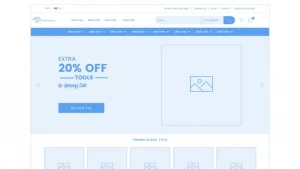 What features are expected in a content management system?
CMS features may vary depending on the specific package. However, there are certain core features that are essential for your website to function properly. Here are some popular CMS features:
All CMS content is stored in a dedicated database. For example, a CMS can manage the textual content of articles: titles, body text, links, tables, article settings, etc. A CMS database also contains user data: usernames, passwords, and roles (administrator, editor, external contributor with limited access, etc.).
Content is centralized within the MDM itself—a single database—where all digital and text content is made available to facilitate the creation of web pages. From the content editor (builder), content is retrieved from the solution where it is hosted and stored.
The opportunity to consolidate all the data from your ecosystem into a single data repository for managing your marketing data.
Got a project?
Request your personalized audit
How Can You Ensure the Success of Your CMS Project?
The key to launching your Content Management System project is to focus on the major milestones of the project. Instead of comparing the features of different CMS solutions, you should ask yourself: Will these features actually help you achieve your goals?
In fact, reducing your CMS project to a list of features will likely lead to failure. You should also assess the company’s current digital maturity before you really start thinking about the features and architecture that will help you determine your future CMS solution.
The various stakeholders within the company who are likely to use the CMS must also be involved in the implementation of this project. In other words, it is necessary to identify the number of contributors and take into account their expertise and level of digital proficiency.
It is important to plan the project not only for the present but also for the coming years. Your Content Management System project is part of a long-term vision. In any case, a corporate digital transformation project must be carefully planned in advance to ensure the expected results.
To get help defining your project, schedule an appointment with our qualified experts.
Do you need help setting up your CMS? Let our experts help!
Related articles
Visit the blog
ChatGPT Ads on Shopify and HubSpot: What This Means for E-commerce Businesses and Marketing Teams in France
02/10/2026

Fine-tuning LLMs in the Enterprise: Better Than a Frontier Model?
28/09/2026

OroMomentum: AI for B2B efficiency
22/09/2026

AI: The 5 Top Stories of Summer 2026
17/09/2026

Content management on Magento: how to give marketing teams back control with Hyvä CMS
17/08/2026