17 July 2026
Shopify POS: Sync Your Brick-and-Mortar Stores and Your e‑commerce Site—Once and for All
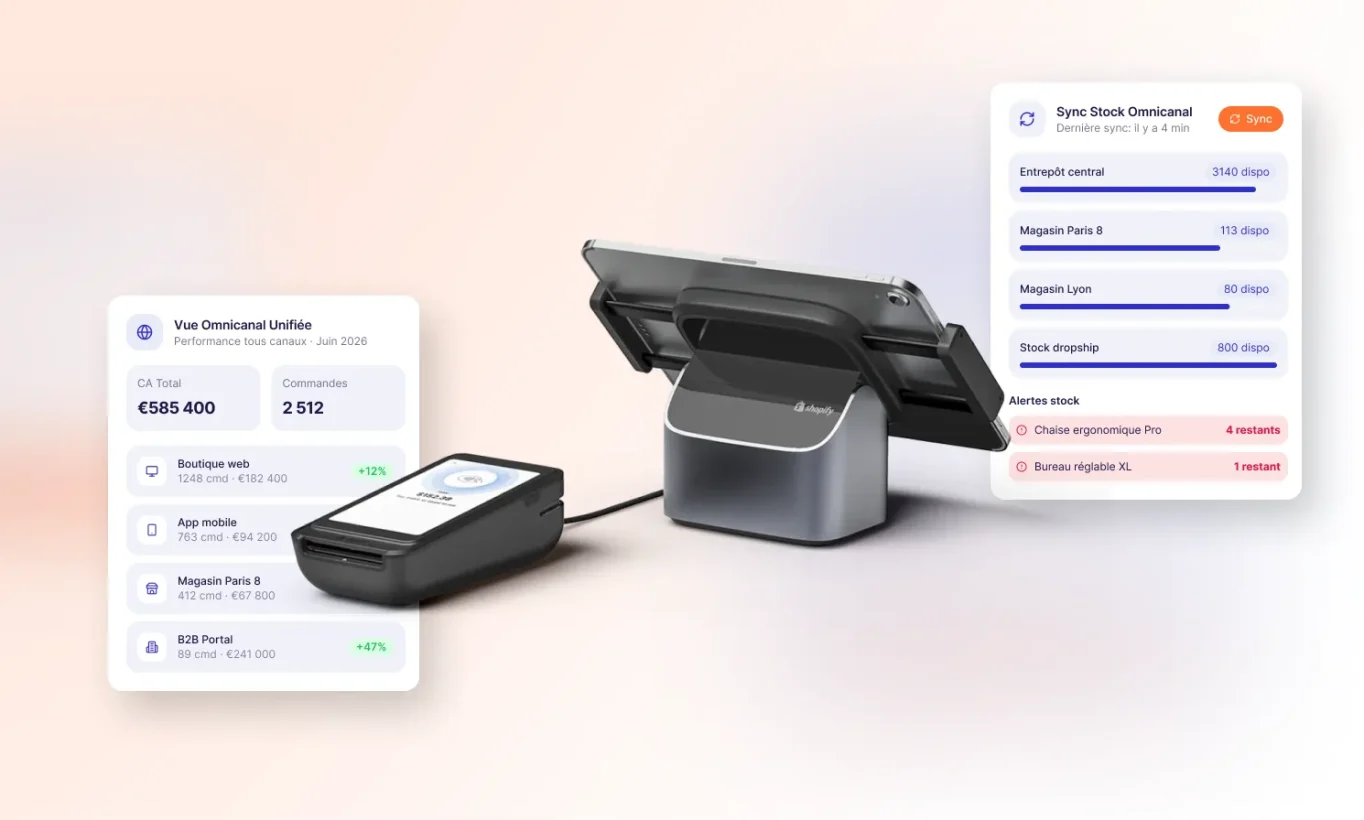
For years, brick-and-mortar stores and online retailers coexisted without really communicating with each other. On one side, an e-commerce site; on the other, an in-store checkout counter—and in between, a constant effort to reconcile inventory, customers, and orders. This behind-the-scenes work is costly, both in terms of time and lost sales.
Shopify POS changes this approach. Rather than connecting two separately designed systems, it builds your point-of-sale and your online store on a single platform. Here’s what that means in practice, and why these topics deserve to be addressed systematically.
A unified data source: products, customers, and inventory
The most immediate benefit can be summed up in one sentence: your data is shared between the website and the store, with no need to manually synchronize it.
As soon as a sales associate opens the Shopify POS app in the store, they have access to the entire catalog, prices, product listings, order history, and customer information—all of which are already available online. No more double data entry, inconsistent files, or price discrepancies between the store and the website.
It is this integration that makes possible the experiences your customers now expect: in-store pickup (click & collect), shipping from a retail location, real-time inventory visibility, a multichannel loyalty program, and gift cards that can be used anywhere.
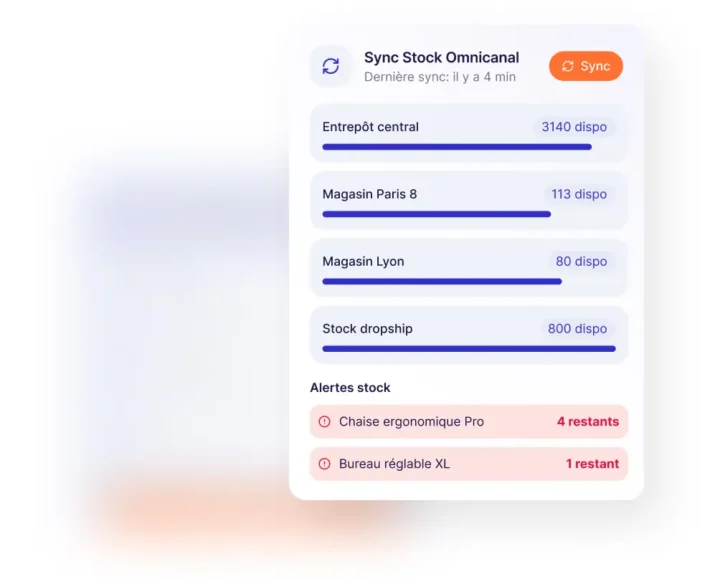
Real-time inventory visibility across all your retail locations
This is one of the most practical features Shopify POS offers for a chain of stores. From the register, a sales associate can see not only their store’s inventory but also that of other stores and warehouses.
The operational benefits are immediate. Is a customer looking for a specific size? The salesperson can locate it instantly—whether in the neighboring store or in the warehouse. Is the product out of stock in-store but available elsewhere? The sale goes through anyway, with the item shipped to the customer’s home.
You’ll never miss out on a sale again because a shelf is empty. For a chain with multiple locations, this is a revenue driver that yields measurable results within the first few weeks.
A checkout system you can customize for your business: POS UI Extensions
Every business has its own unique characteristics. A wine shop doesn’t operate the same way as an optician’s, which in turn operates differently from a fashion boutique. The point-of-sale software market is, in fact, extremely fragmented, precisely because each sector has developed its own tools—which are often outdated and not connected to the internet.
Shopify POS takes a different approach to this issue using POS UI Extensions. These extensions allow you to add custom features directly within the checkout app, at the right point in the customer journey: in the shopping cart, on the customer profile page, or at checkout.
Specific examples of customizations currently in use
-
Bookstore: Scan the ISBN code → a complete product listing (title, publisher, cover) is created automatically.
-
Consignment / Secondhand: purchasing an item, taking a photo of its condition, issuing a customer credit—all from the register.
-
Dynamic pricing display: real-time synchronization of prices between the store and the website.
The challenge is the same everywhere: to replace the repetitive task that your teams handle manually (sometimes using a piece of paper stuck to the register) with a feature that’s fully integrated into the sales tool.
A quick start for your field teams
Training staff on a new point-of-sale system is a cost that is often underestimated—especially since staff turnover in stores makes this an ongoing process.
Because Shopify POS extensions rely on the app’s native components, they look and behave just like the rest of the POS system. The sales associate can’t tell the difference between a standard feature and a custom one —everything works the same way. It’s quick to learn, and the hidden cost of training is significantly reduced as a result.
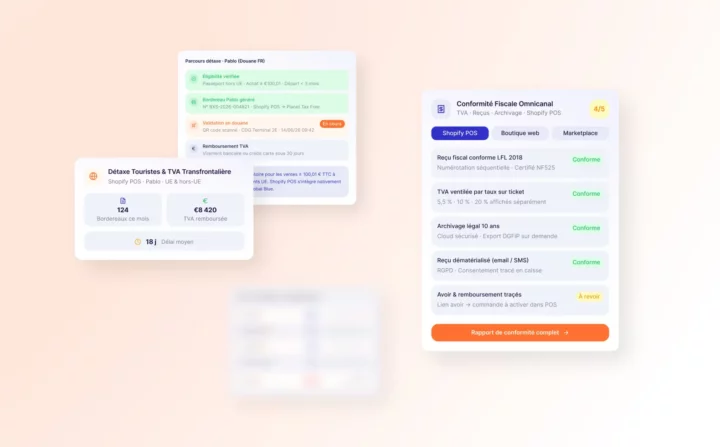
French and European Compliance: VAT, Tax Receipts, Tax Refunds
Selling in France and Europe requires adherence to specific rules: compliant tax receipts, VAT management, tax refunds for tourists, payment requirements, and local languages.
These constraints are real and cannot be circumvented—but they can be addressed. Whether they’re handled natively or through dedicated extensions, a well-executed Shopify POS deployment incorporates these requirements from the outset, rather than discovering them after launch.
Start simple, then build up
You don’t have to roll everything out all at once. The recommended approach: start with a specific, high-priority need; build a custom feature tailored to your brand; test it in real-world conditions with your teams; and then gradually roll it out to other stores. This iterative approach reduces risk and allows you to validate the value created before investing further.
How DATASOLUTION Deploys Shopify POS for Retail Chains
That’s exactly where our expertise comes in. DATASOLUTION helps retail chains implement Shopify and Shopify POS, from project scoping to checkout configuration, including inventory synchronization between your existing systems and Shopify.
We know what makes a difference on the ground: multi-store inventory visibility, integration between your legacy point-of-sale software and Shopify, receipt customization by point of sale, and adjustments specific to your industry.
Our approach is practical: we start with your actual constraints, deliver ready-to-use solutions, and continue to support you once the system is up and running.
Do you operate a chain of stores, and is maintaining consistency between your website and your stores costing you time or sales? Let’s talk about it. We’ll be specific about what’s feasible, in what order, and what benefits we can expect.
Would you like to learn more?
Related articles
Visit the blog
ChatGPT Ads on Shopify and HubSpot: What This Means for E-commerce Businesses and Marketing Teams in France
02/10/2026
Fine-tuning LLMs in the Enterprise: Better Than a Frontier Model?
28/09/2026

OroMomentum: AI for B2B efficiency
22/09/2026

AI: The 5 Top Stories of Summer 2026
17/09/2026
Content management on Magento: how to give marketing teams back control with Hyvä CMS
17/08/2026