The 10 pillars of a product page that converts
Before you scroll, here’s a quick preview of what you’ll discover:
-
Why the product page has become the new e-commerce homepage
-
How to structure a product page that meets the needs of both Google and your customers
-
UX best practices to enhance user experience and navigation
-
The importance of high-quality visuals and enriched media
-
How to write persuasive, SEO-optimized, customer-focused content
-
The impact of customer reviews, social proof, and dynamic FAQs
-
How to reassure users on delivery, returns, and warranties
-
The art of showcasing product variants and intelligent cross-selling
-
How to integrate reassurance elements that build trust
-
The technical and marketing levers that turn product pages into powerful conversion tools
The product page is the new homepage?
For years, the homepage was considered the main entry point of any e-commerce website. It was the place where brands showcased themselves, highlighted their bestsellers, and promoted commercial operations. It concentrated most of the UX, graphic design, and SEO investments. Yet this central role has shifted. Today, users no longer necessarily enter a website through its homepage, but increasingly through a product page.
With the rise of long-tail SEO, Google Shopping, conversational search engines, and social commerce, the customer journey now often begins directly on a product detail page. A user no longer searches for “quality luggage website” but rather for “55cm expandable cabin suitcase” and lands directly on the corresponding product page.
This evolution deeply transforms the rules of e-commerce. The product page is no longer just a simple step in the conversion process—it has become the new strategic hub of the sales funnel. It is at once:
-
an SEO-ready landing page,
-
a reassurance tool,
-
a branding relay,
-
and an immediate conversion interface.
On average, PDPs (Product Detail Pages) now represent more than 50% of organic SEO inbound traffic on major e-commerce websites (source: Verbolia).
However, many e-retailers still design the product page as nothing more than a descriptive sheet. This is a strategic mistake. The product page has become a contextual homepage, query-driven and AI-compatible. It must satisfy Google, users, and soon, AI-driven search engines (SearchGPT, Perplexity, AI Overviews, etc.).
The brand Sisley Paris illustrates this evolution well, with product pages that are rich, structured, and informative. On several of its references, the brand has integrated high-value-added elements:
-
an indexable dynamic FAQ directly embedded into the page,
-
real-time delivery information, notably through Chronopost,
-
a detailed presentation of product compositions with dedicated visuals,
-
usage-oriented storytelling that contextualizes product benefits.
These choices reflect a strategy focused on SEO, user experience, and AI-readiness. According to a ShopperApproved study, the addition of structured Q&A modules can generate up to +35% SEO visibility and +40% ranking gains in SERPs, while also improving conversion thanks to reduced purchase objections.
1. The anatomy of a perfect e-commerce product page
A successful e-commerce product page is a genuine conversion lever. It is often one of the most crucial pages on your website, and it can even serve as the main entry point for new visitors coming from Google Shopping or social media ads. Optimizing the product page is therefore essential to capture the visitor’s attention from the very first moments and convert them into a customer.
Here, we break down the essential elements of a perfect product page, and how each of them can enhance the value of your offering—supported with concrete examples. (Pro tip: start thinking right now about what improvements you could make to your own product pages!)
2. Smooth user experience from the start
From the moment the visitor lands on the page, they must understand exactly where they are and how to navigate easily. To achieve this, you need to ensure:
-
Clear navigation: A well-organized menu and a breadcrumb trail positioned at the top of the page help place the product within the overall site hierarchy. This allows the user to move back up to higher-level categories in just one click if they wish, without ever feeling lost. This consistency in navigation contributes as much to user satisfaction as it does to proper SEO (search engines reward a clearly defined structure).
-
A visible call-to-action (CTA): The “Add to Cart” or “Buy” button should be immediately recognizable, ideally positioned above the fold and highlighted in a contrasting color. This is the central conversion element, and it must grab the visitor’s attention from the very beginning. The strategic placement of the CTA has a direct impact on add-to-cart rates.
-
An uncluttered layout: Key information (product name, price, rating, availability) must be presented clearly, without overwhelming the visitor. Well-separated sections (details, reviews, recommendations, FAQ, etc.) help the user scan through the page and quickly find what they are looking for. Always think mobile-first: on a smartphone, scrolling should remain comfortable, with buttons large enough to be tapped with a finger.
In short, even before focusing on the product content itself, make sure the overall ergonomics of the page facilitate smooth navigation and purchasing, without friction.
3. High-quality product visuals
In e-commerce, images replace touch: your product visuals must therefore compensate for the customer’s inability to see and feel the item in real life. A few best practices include:
-
HD photos and multiple angles: Provide high-quality images that show the product from several angles and, where relevant, in different usage contexts. A zoom or magnifying effect allows users to inspect details. Effective visuals catch the eye and strengthen buyer confidence.
-
Varied media: Whenever possible, also include a product video or a 360° animation. For example, a short demonstration video can highlight features or show the product in use far better than a static photo. This helps the user picture themselves with the product.
-
Consistency and speed: Make sure all visuals share the same style (lighting, neutral background, etc.) to create a harmonious, professional page. Optimize image size so loading speed is not compromised—a crucial factor for both user experience and SEO.
Pro tip: consider displaying contextual or user-generated visuals as well (Instagram photos, lifestyle scenes). They enrich the page and provide extra social proof. A visually well-informed visitor is more likely to place an order, since buying online is first and foremost a visual decision.
4. Rich and informative product content
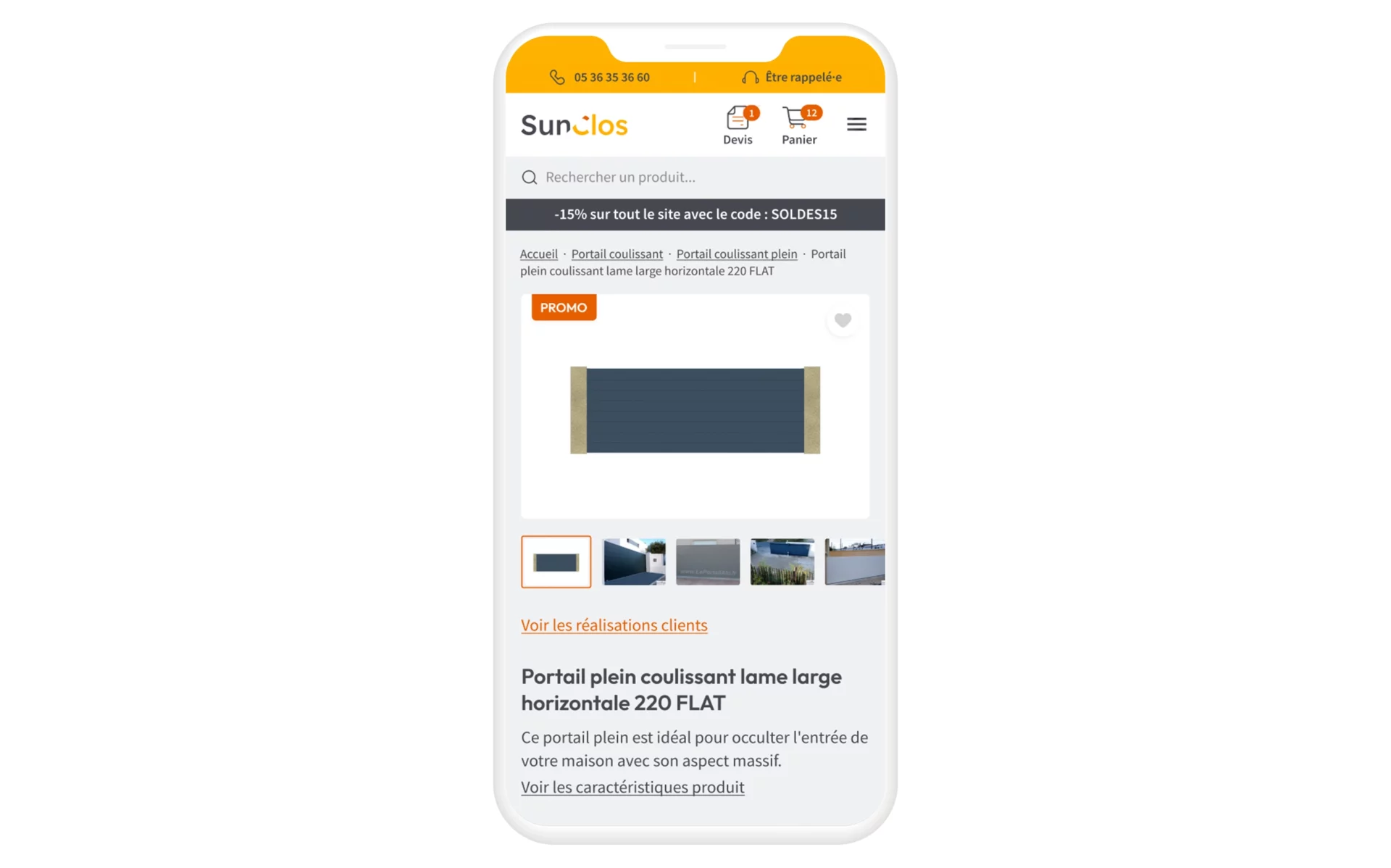
Beyond visuals, the textual content of the product page must convince both customers and search engines. Here are the essentials:
-
Precise and engaging title: The product name (H1 tag) should be clear, descriptive, and ideally include the main keywords (important for SEO). You can also add a striking product benefit or key feature in a subtitle to grab attention.
-
Complete, customer-focused description: A detailed description should not only present technical characteristics but, more importantly, highlight the concrete benefits for the user. Write a narrative that tells the product’s story: what it’s for, what problem it solves, what makes it unique. This type of content also improves visibility for long-tail search queries in SEO. The more carefully crafted your description is, the more you differentiate yourself from competitors with generic product sheets—and the more you reassure buyers about your expertise.
-
Technical specifications: In addition to narrative content, clearly list technical specs (dimensions, weight, materials, composition, compatibility, etc.). This structured list allows detail-oriented visitors to quickly verify specific information. Integrating as many precise details as possible also helps you capture niche SEO keywords and answer specific questions your customers may have.
-
Warnings or usage tips: Depending on the product, it may be relevant to include advice such as sizing guides for clothing, care instructions, or safety precautions. These practical details add value and show that you support the customer even after purchase.
In summary, a perfect product page strikes the right balance between marketing and information. It persuades through benefit-driven copy while also delivering all the essential data needed for an informed purchase decision. Rich, unique, and high-value content benefits both your customer (who buys with confidence) and your natural search visibility on Google.

5. Customer reviews and social proof
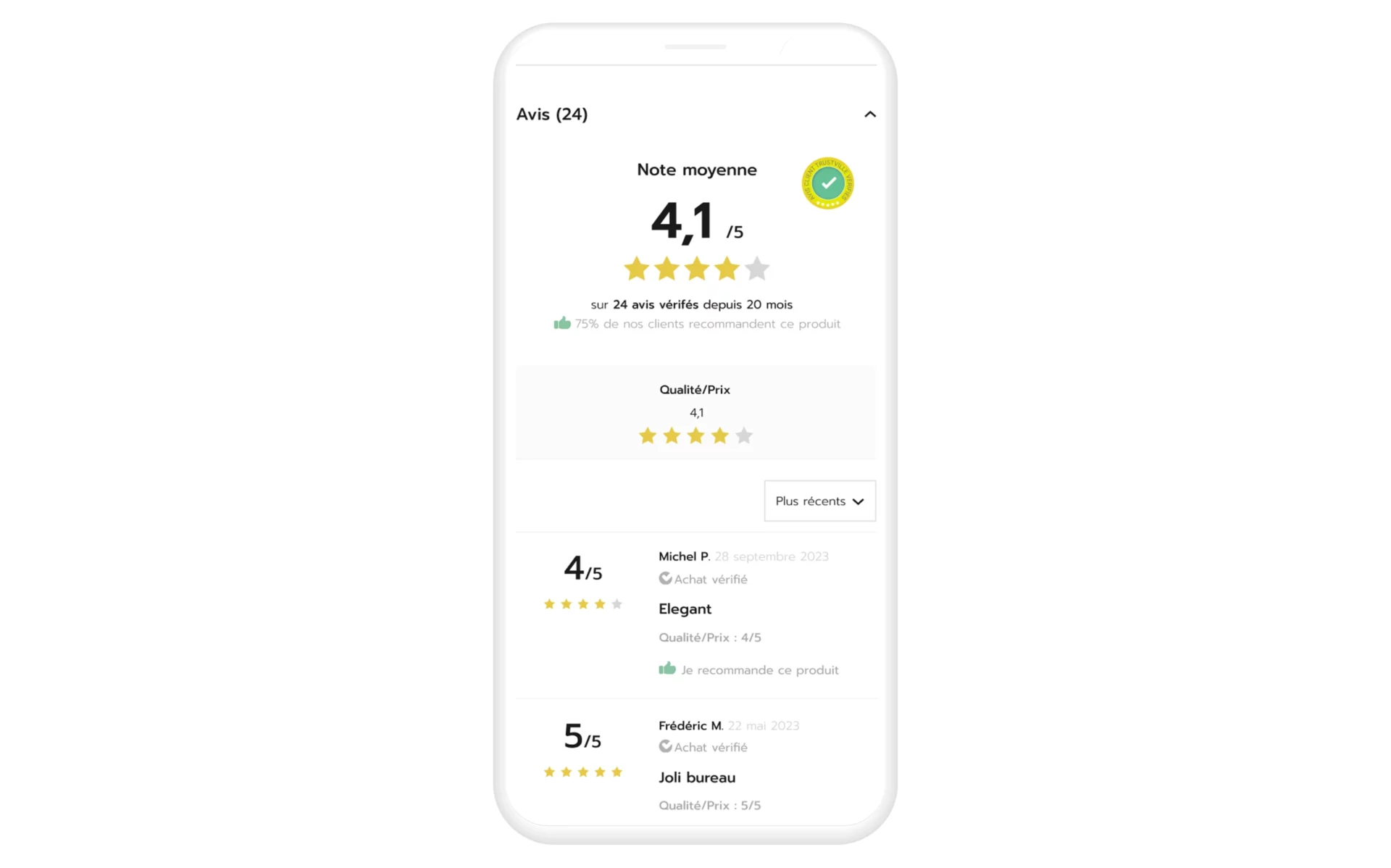
According to a study by Spiegel, 95% of consumers read online reviews before making a purchase. Integrating feedback from previous customers directly on the product page has therefore become essential, for several reasons:
-
Building trust: Seeing that other buyers have positively rated the product reassures prospects about its quality. Reviews act as social proof and help remove doubts (“Is this backpack really durable?”). Even mixed reviews can be useful if they are constructive, as they add transparency.
-
Providing additional information: Customers often mention details in their comments that aren’t included in the description (ease of use, compatibility, tips, etc.). These insights enrich the product page and may answer questions other visitors are asking themselves.
-
Boosting engagement: An active review section encourages visitors to spend more time on the page, and even ask their own questions. This creates opportunities for interaction (for example, when customer support replies to reviews), which humanizes your site and builds a trusted dialogue.
To maximize the impact of reviews, display the average rating and number of reviews at the top of the product page (just under the product title), so visitors see it immediately. Further down, offer a dedicated section with all reviews and testimonials. If the list is long, use a compact or collapsible format to avoid overwhelming the page while still allowing users to read everything if they wish.
Finally, think about including other forms of social proof on the product page: quality or award badges, certification logos, “Best-seller” mentions, or press labels (“Voted Product of the Year,” etc.). These visual signals increase the page’s credibility. Similarly, clearly show your commitments (made in France, eco-responsible, limited edition backed by a community, etc.), as these can make a real difference in the customer’s eyes.
Remember, on the internet, trust is paramount: any credible element that fosters it can tip the balance in your favor.
6. Frequently asked questions (FAQ) to remove objections
Even with a carefully written description, visitors may still have specific questions before adding an item to their cart. This is where the FAQ section on the product page comes in. Leading e-commerce websites now systematically include a FAQ section directly on their product pages. Why is this Q&A module so valuable?
-
It addresses common doubts: By gathering frequent customer questions (about size, use, compatibility, warranty, etc.), you prevent visitors from leaving the page to look for information elsewhere. A well-designed FAQ can turn a hesitant visitor into a buyer by immediately providing the reassurance they need.
-
It improves user experience: Often presented in the form of expandable questions (accordion menus), the FAQ allows you to provide a large amount of information without visually overloading the page. Users click only on the questions they care about, keeping the rest of the page clean.
-
It reduces customer service workload: By anticipating recurring questions (about delivery, returns, compatibility, etc.), you reduce the number of requests your customer service team receives. It’s a win-win: the customer gets an immediate answer, and you receive fewer emails or calls about basic issues.
-
It enriches SEO content: Each question-and-answer pair is an opportunity to include relevant keywords and fresh text. For example, a question such as “Is this product compatible with this accessory?” followed by a detailed answer adds indexable content that search engines value. Google especially favors FAQ content because it often aligns with natural-language queries.
In practice, a product FAQ can cover topics such as usage, care, differences between models, or any common objection that might prevent purchase.
Example: on the product page of a Delsey cabin suitcase, a comprehensive “Frequently Asked Questions” section provides details on airline-approved dimensions, the distinction between cabin baggage and handbags, how to measure luggage, and more. This level of detail demonstrates strong customer service and eliminates uncertainties for the buyer.
Good to know: some companies integrate dynamic FAQs connected to a knowledge base or online support system. This means the FAQ can update automatically based on customer feedback or product updates. In any case, be sure to keep FAQs updated and add new questions as they arise—a living FAQ is the mark of a brand that listens to its customers.
7. Clear delivery information and no-surprise returns
Delivery and return conditions are among the most decisive pieces of information for a buyer. If there is one place where these details must be visible, it is on the product page itself. Do not force visitors to search your site for shipping costs or delivery times once they have already decided to purchase. Not only would this hurt the user experience, but search engines could penalize you if this information is not easily accessible.
Here’s how to excel on this point:
-
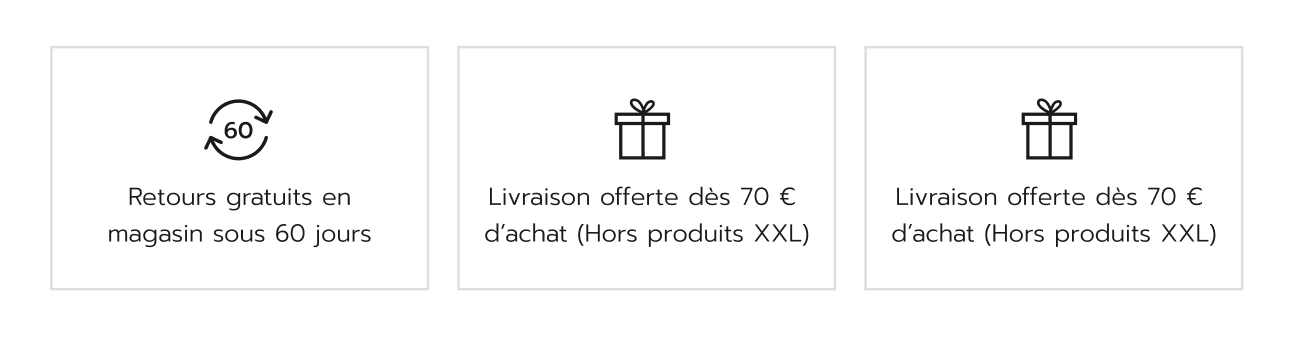
Highlight delivery costs and options: Clearly indicate the available delivery methods, their costs, and any free shipping thresholds. For example, Delsey shows directly on the product page that standard home delivery (2 to 5 days) costs €9.90 and is free for orders over €99. This information should be immediately visible, often near the price or in a dedicated “Delivery & Returns” section.
-
Be transparent with estimated delivery times: Specify estimated delivery times for each method (standard, express, etc.). Some websites even display an estimated delivery date calculated in real time. For instance, you could show “Order before 3pm today for estimated delivery by August 5 with Chronopost.” This level of precision—made possible through carrier API integration—provides significant reassurance about when the product will arrive. The promise of fast delivery is a powerful incentive to buy.
-
Display return policies upfront: Clearly state the return or exchange conditions: timeframes (14 days, 30 days, etc.), product condition requirements, possible return costs, and so on. Shoppers should know what to expect in case of a problem, before they commit to purchase. Again, Delsey provides a good example by including a box on the product page that says “Returns: You have 14 days… to make your return.” This transparency prevents unpleasant surprises and builds trust.
By centralizing these key details in the right place, you answer essential logistical questions without interrupting the purchase journey. Customers appreciate this (nobody likes discovering at the last step that shipping is expensive or slow), and it also benefits your SEO, since Google rewards content that contributes to user satisfaction.
8. Personalization options and product variants
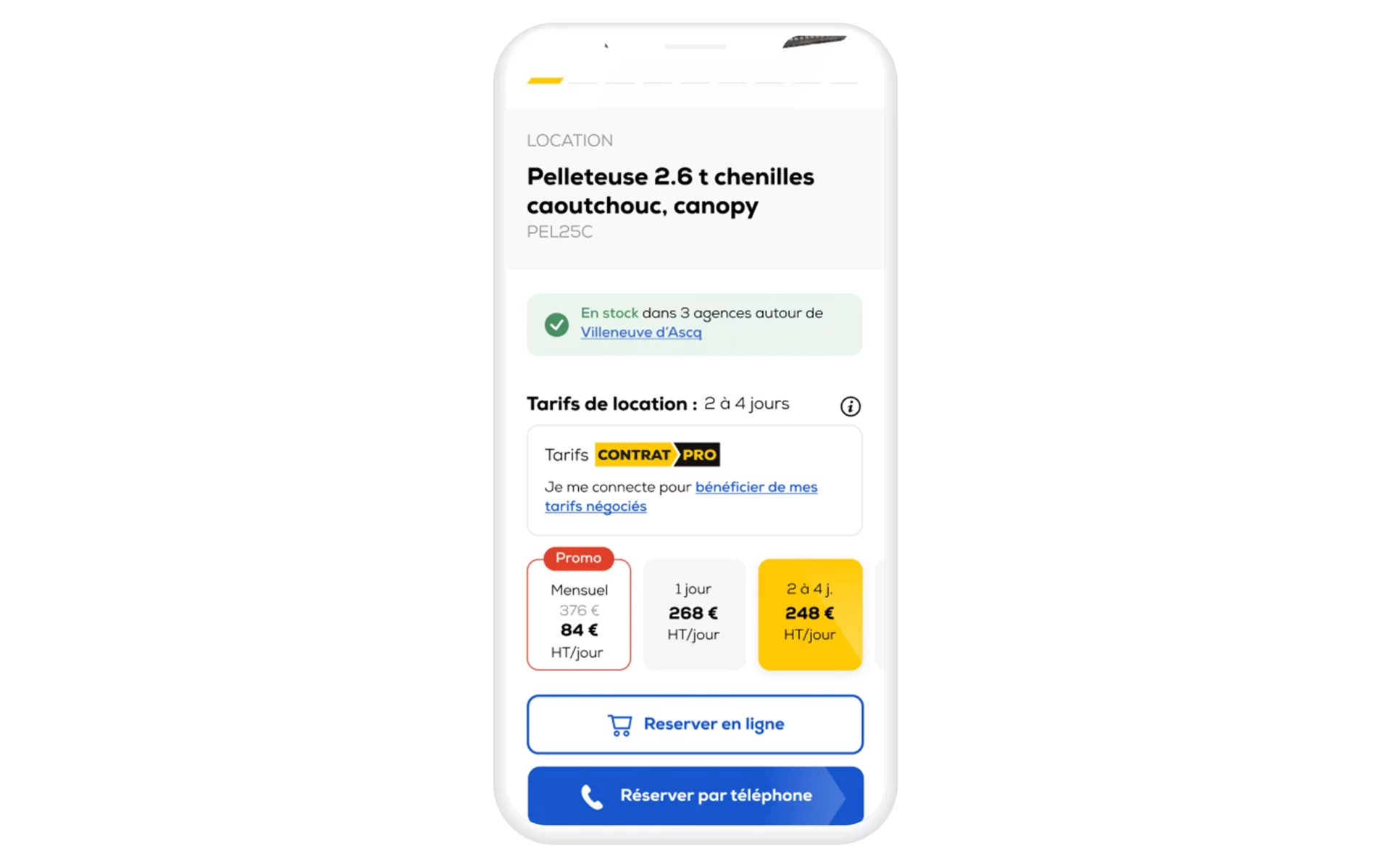
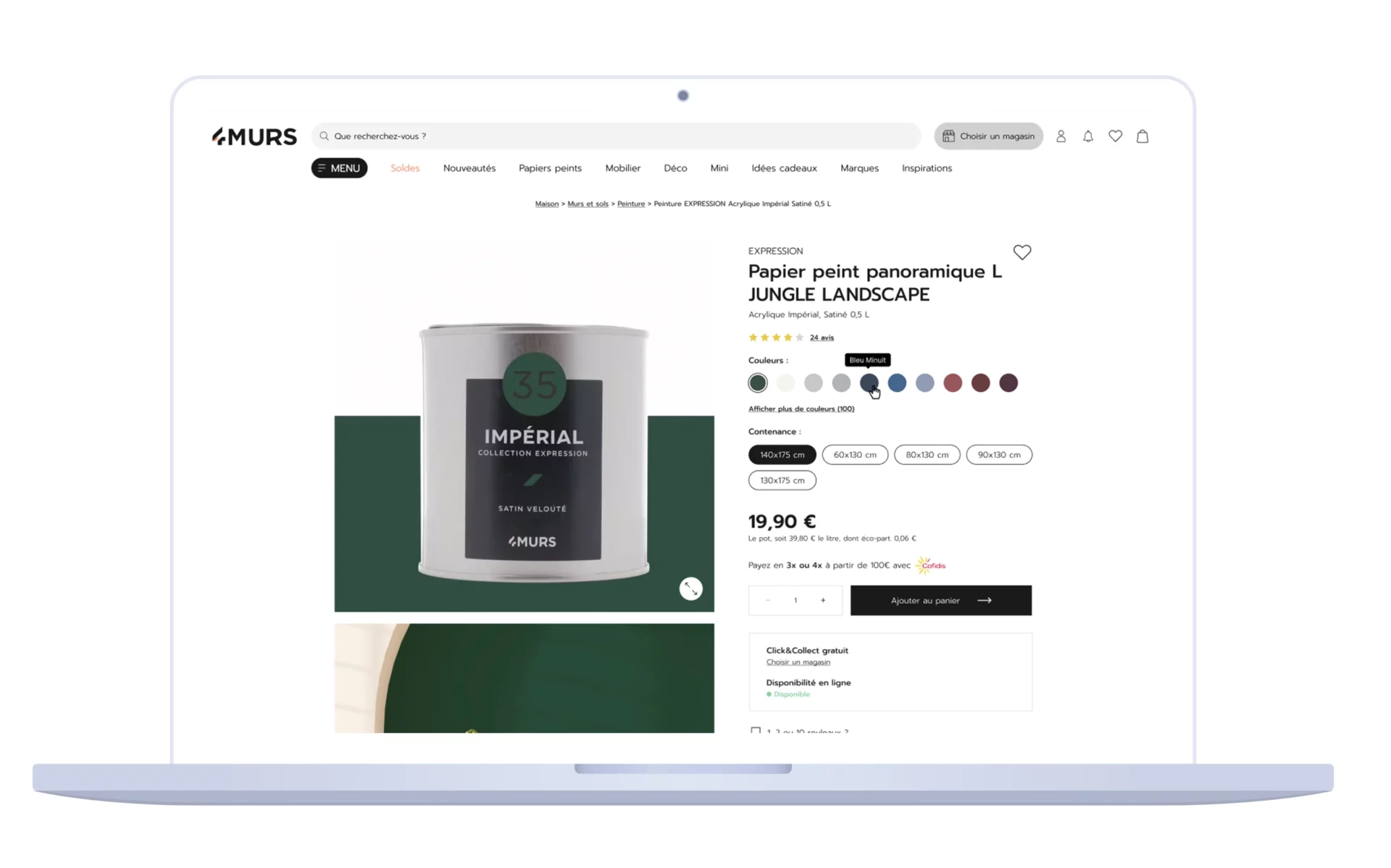
A product often comes in several variants: sizes, colors, associated models, and more. An optimal product page must present all available options clearly and interactively. The goals are simple: help the buyer find the version that suits them best and keep them on the same page while exploring the options.
-
Ergonomic variant selector: Include buttons or thumbnails that allow users to choose, for example, a color or size with a single click. Each option should instantly update the product image and details (without reloading the entire page if possible). For clothing, for instance, color swatches or small thumbnails should show each variant. This way, the user immediately sees what the product looks like in the selected version.
-
Real-time availability: Display availability (in stock, out of stock) for each variant. Few things are more frustrating than selecting a size only to discover it’s unavailable at checkout. If an option is out of stock, the product page should clearly indicate this (by greying out the button, for example) and ideally offer an alert when the item is restocked.
-
Related and compatible products: If your product requires accessories or comes with complementary products (e.g., a smartphone and its case, a vacuum cleaner and its bags), list them as well. This can be done via a “Compatible products” section or by suggesting these items directly on the page as bundles. It simplifies the buyer’s journey, allowing them to add everything at once, while also boosting your average order value.
A well-managed product variant system ensures your product page covers the full scope of your offering. Customers don’t need to look elsewhere—everything they need is clearly presented. This prevents you from losing them mid-journey. Even better, by making it easy to compare different versions (colors, formats, etc.), you help customers make the right choice, thereby reducing the risk of product returns caused by selection errors.
9. Recommendations to increase average order value
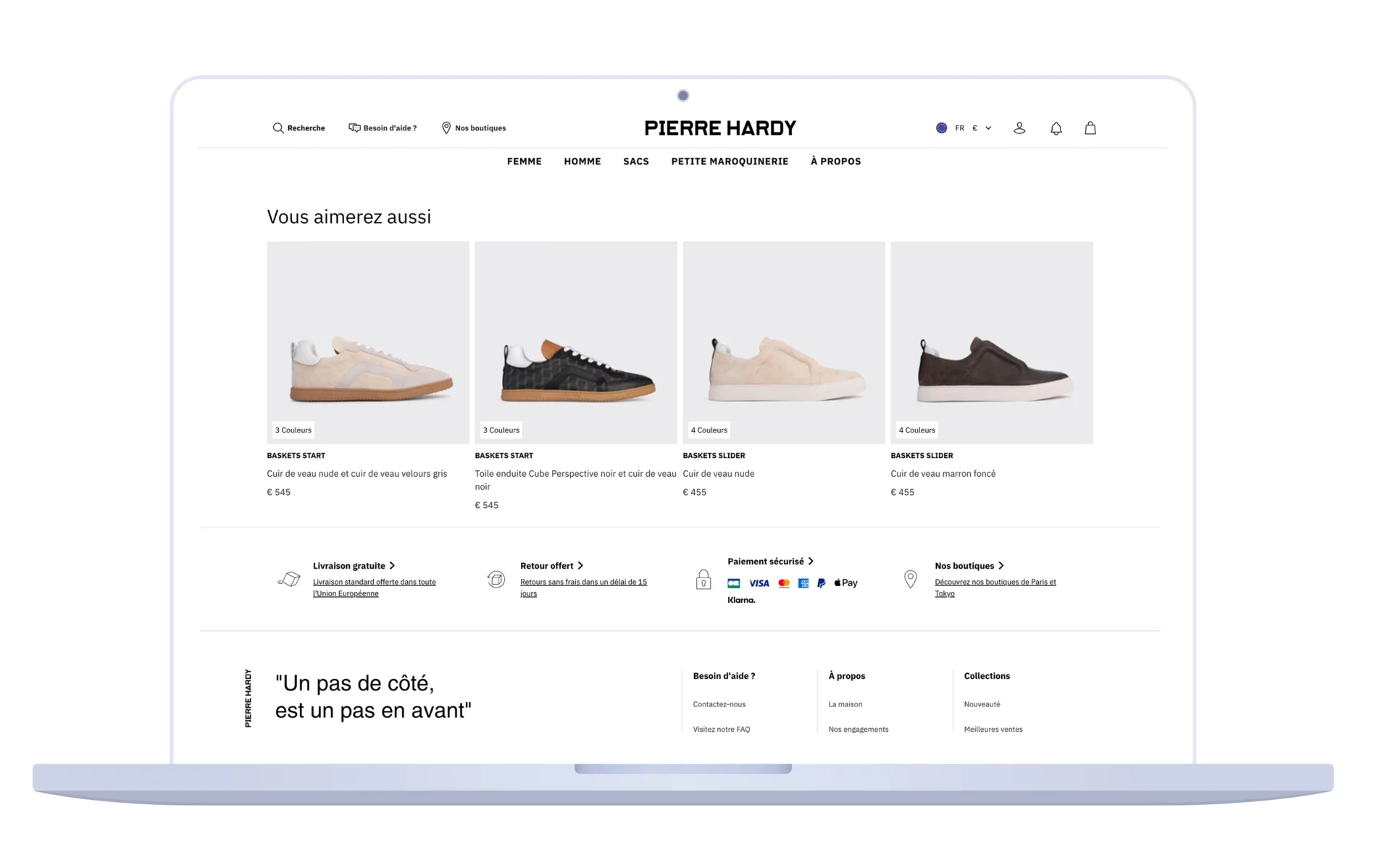
When a visitor browses a product page, the item they are looking at is not always the only one that might interest them. That’s why the product pages of high-performing e-commerce sites almost always include product recommendations. These recommendations serve two main purposes: keeping the visitor on the site longer and maximizing the value of their order.
Several complementary approaches exist:
-
Similar products: Display items that are close alternatives (for example, a model from the same range or a substitutable product). The goal is to keep potential buyers engaged even if they are not convinced by the initial product. Amazon excels at this by suggesting “Items similar to the one you are viewing.” If product A doesn’t appeal, the customer is likely to click on product B instead of leaving the site.
-
Complementary products: This is the classic cross-selling technique. On a camera page, you would suggest lenses, bags, or memory cards. On a suitcase page, Delsey suggests matching travel accessories. This section is often introduced with a title such as “You may also like…” or “Complete your look/gear with…”. When placed strategically, it encourages customers to add other relevant items to their cart.
-
Personalization based on user data: If you have access to visitor data (browsing history, previous purchases), you can go further with real-time personalized recommendations. These may include recently viewed items, “Customers who bought this item also bought…”, or products specially selected for that profile. Personalization algorithms—whether AI-based or rule-based—help create product discovery and increase upsell potential.
Make sure these recommendation blocks fit seamlessly into the page layout (usually at the bottom of the product page or in a sidebar on desktop). They should draw attention without overshadowing the main product. Ideally, a visitor scrolling down the page naturally encounters these suggestions after reviewing the main information.
Finally, don’t forget to measure the impact of these recommendations using your analytics tools: click-through rates, add-to-cart actions, and conversions. You can then fine-tune their relevance over time (for instance, by testing different titles or recommendation types). When used effectively, product suggestions play a significant role in increasing average order value and encouraging customers to explore more of your catalog.
10. Guarantees, payment, and other reassurance elements
For a visitor to turn into a confident buyer, the product page must remove every last psychological barrier. Beyond the aspects already mentioned (reviews, FAQs, delivery, returns), certain additional reassurance elements can make the difference at the exact moment the user clicks “Buy”:
-
Security and guarantee badges: Clearly display secure payment icons (SSL encryption, Visa/MasterCard/PayPal logos, etc.), as well as any commercial guarantees you offer. For example, Delsey highlights on its product pages that payment is 100% secure and that its suitcases are covered by warranties ranging from 2 to 10 years. These signs of reliability reassure users both about financial safety and product durability.
-
Third-party trust labels: Depending on your sector, trustmarks such as “Trusted Shops,” “Verified Reviews,” “Google Customer Reviews,” or awards (“E-tailer of the Year”) can be prominently displayed. This increases credibility in the eyes of new visitors who may not yet know your brand.
-
Clarity on payment methods: Indicate all accepted payment options (cards, PayPal, installment plans). Offering multiple payment methods is a strong plus, especially if you provide credit or split-payment solutions for higher-ticket items. Customers should not have to guess how they can pay—everything must be explicit, often at the bottom of the product page or in the footer.
-
Customer service and support: Highlight that customer support is available for any questions. A simple line such as “Questions? Contact our support team 6 days a week” with a phone number or chat link can suffice. The key is to reassure users that if they need help, you’ll be there. Some product pages even include a small box like “Your expert: Have a question about this product?” encouraging direct interaction—a proactive way to resolve doubts quickly.
-
Simplicity of the purchase process: Finally, reassure users about how easy it is to complete their order. For example, mention “Checkout in 3 clicks,” “No account required,” or “100% secure payment and order process.” While these are not product details in themselves, reminding customers of them at this crucial stage (with icons or short text) can reduce friction and increase the likelihood of purchase.
By combining these reassurance elements, you create a protective environment around the product that fosters buyer confidence. On a suitcase product page, for instance, seeing mentions like “5-year warranty,” “Free returns within 30 days,” “Secure payment,” and “Responsive customer service” creates a positive atmosphere: the customer feels protected in case of a problem and supported by a trustworthy brand. Never underestimate the impact of these details—they are often decisive in the conversion funnel.
DATASOLUTION and Jetpulp expertise for optimizing your product pages
Designing the perfect e-commerce product page requires multidisciplinary expertise. UX design, copywriting, SEO, web development—all these fields must converge to produce a page that is at once attractive, informative, and commercially effective.
At DATASOLUTION, we bring all these skills together to help you transform your product pages into true sales engines.
Our expertise includes:
-
Tailored UX/UI design: Analysis of your customer journey, layout optimization, mobile ergonomics, seamless integration of key elements (CTAs, visuals, navigation). We create product pages that deliver an outstanding user experience and maximize conversions.
-
High-quality content and copywriting: Persuasive, SEO-optimized product descriptions, dynamic FAQs based on real customer questions, and effective use of customer reviews and case studies. Rich, well-structured content strengthens both your natural search visibility and your visitors’ trust.
-
Integration of advanced e-commerce features: We implement the tools needed to enrich your pages: customer review and rating modules, interactive FAQ systems, real-time stock display and delivery estimates (carrier API integration such as Chronopost), personalized product suggestions through recommendation algorithms, and more. Your product page becomes intelligent and always up to date.
-
Conversion rate optimization (CRO) and web analytics: A/B testing of your product pages, user behavior analysis, continuous optimization of the purchase funnel. Our CRO experts identify friction points and opportunities for improvement to constantly increase your conversion rate. Every element—button color, section placement—is tested and optimized based on solid data.
-
Technical performance and SEO: Audit of your page loading speed (Core Web Vitals), improvement of HTML markup (structured product data, title tags, meta descriptions), implementation of SEO-friendly breadcrumbs, and more. We ensure that your product pages are not only attractive for visitors but also exemplary in the eyes of Google.
Your online store deserves product pages on par with the very best in the market. If you are ready to take the next step and offer your customers truly perfect product pages, contact us today to discuss your needs. Our experts will be delighted to analyze your current pages and propose a customized action plan.
Fill out the form below to discuss your e-commerce project.
FAQ – Optimizing your e-commerce product pages
-
Why has the product page become the new e-commerce homepage?
Because more and more users land directly on product pages through Google (long-tail SEO), Google Shopping, social networks, or AI search engines. The homepage is no longer always the main entry point.
-
What are the essential elements of a product page that converts?
A high-performing product page combines quality visuals, a rich customer-oriented description, precise technical information, reviews and social proof, reassurance elements (delivery, returns, guarantees), and clear calls to action.
-
How can you optimize a product page for SEO?
By working on the title (H1), meta tags, unique and detailed descriptions, structured data (schema.org), integrated FAQ, and customer reviews. Long-tail keyword integration significantly improves visibility.
-
Why include an FAQ directly on the product page?
Because it removes objections before purchase, improves user experience, reduces customer service workload, and enriches the page with indexable content. It also supports SEO by matching natural-language queries.
-
What levers can increase average order value through a product page?
Cross-selling (complementary products), up-selling (premium versions), personalized recommendations, and product bundles are all effective strategies for boosting basket value.
-
How can you reassure users before they purchase?
By clearly displaying delivery and return conditions, guarantees, secure payment options, customer reviews, and trust labels. Transparency reduces cart abandonment.
-
What role do visuals play in a product page?
A critical one: HD multi-angle photos, zoom features, demo videos, 360° views, as well as user-generated content (UGC). Visuals compensate for the absence of physical interaction and inspire trust.
-
Why work with an agency like DATASOLUTION to optimize your product pages?
Because creating an effective product page requires combined expertise in UX design, SEO copywriting, technical integration, CRO, and analytics. DATASOLUTION ensures a holistic, performance-driven approach.